内容已复制到剪贴板!
← 返回列表
gemini反代配置
1、报错:
Failed to exchange code: google One accounts require a project_id, failed to auto-detect: user is registered (tier: g1-pro-tier) but no project_id available. Please provide Project ID manually in the authorization form, or create a project at https://console.cloud.google.com
解决:获取或创建 Project ID
-
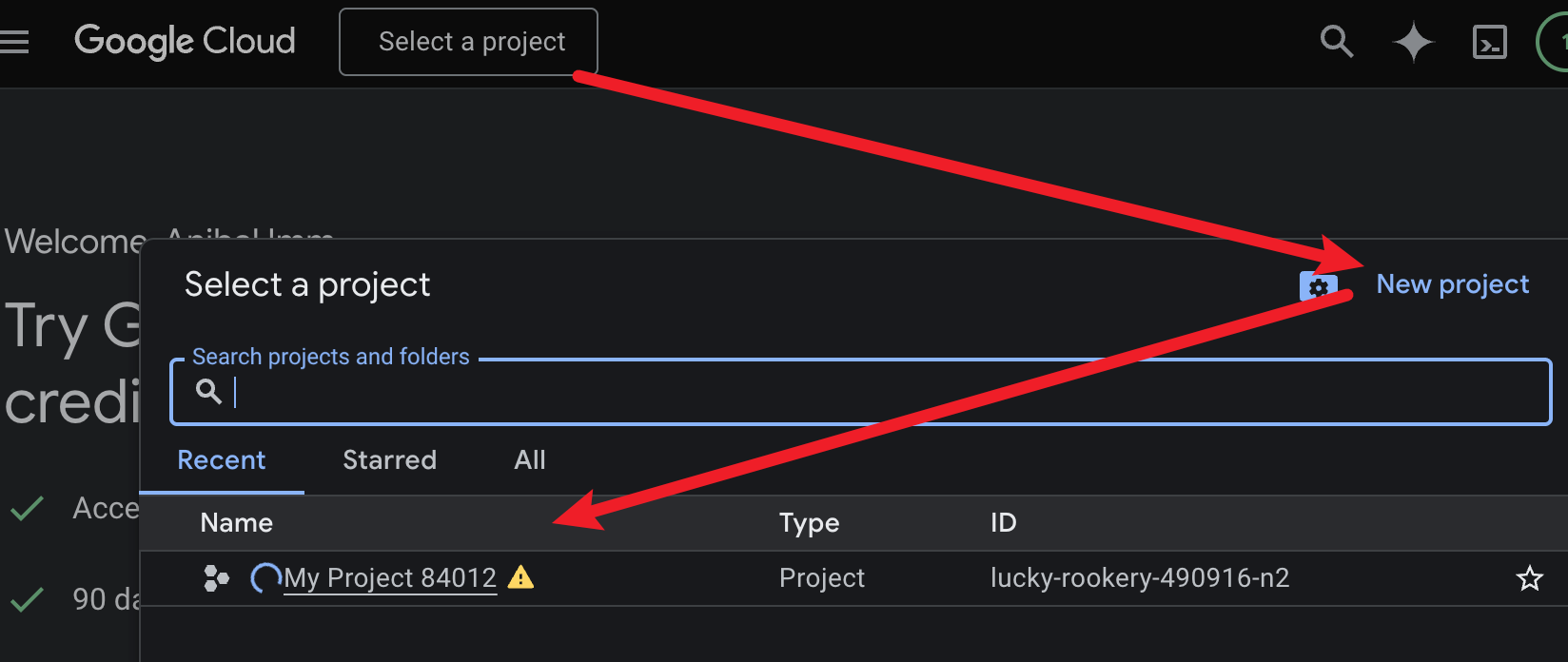
在页面顶部的项目选择器中,选择一个现有的项目。如果没有,请点击 "新建项目" (New Project)。
-
进入项目后,在“仪表盘”或“项目信息”卡片中找到 项目 ID (Project ID)(注意:它是字符串,例如
my-project-12345,不是项目名称)。
2、报错:Gemini for Google Cloud API has not been used in project analog-signal-491011-m1 before or it is disabled. Enable it by visiting
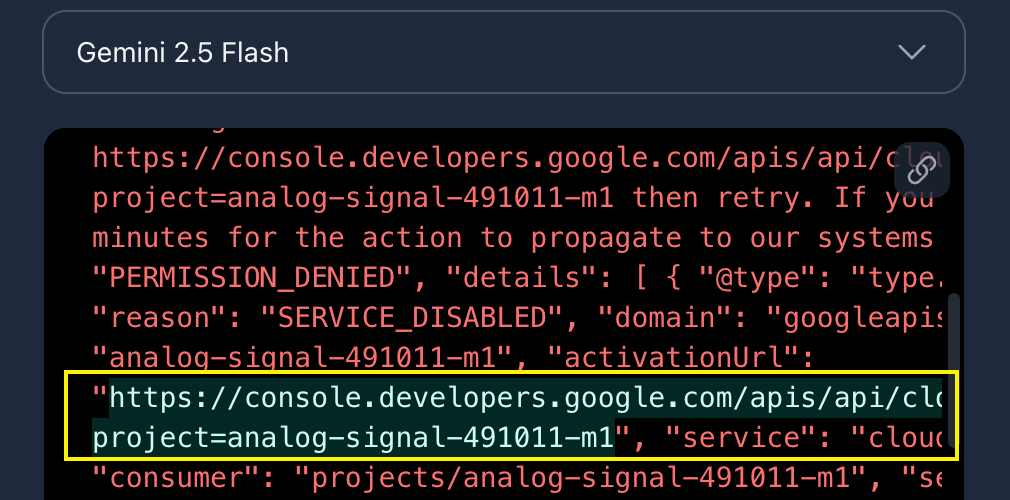
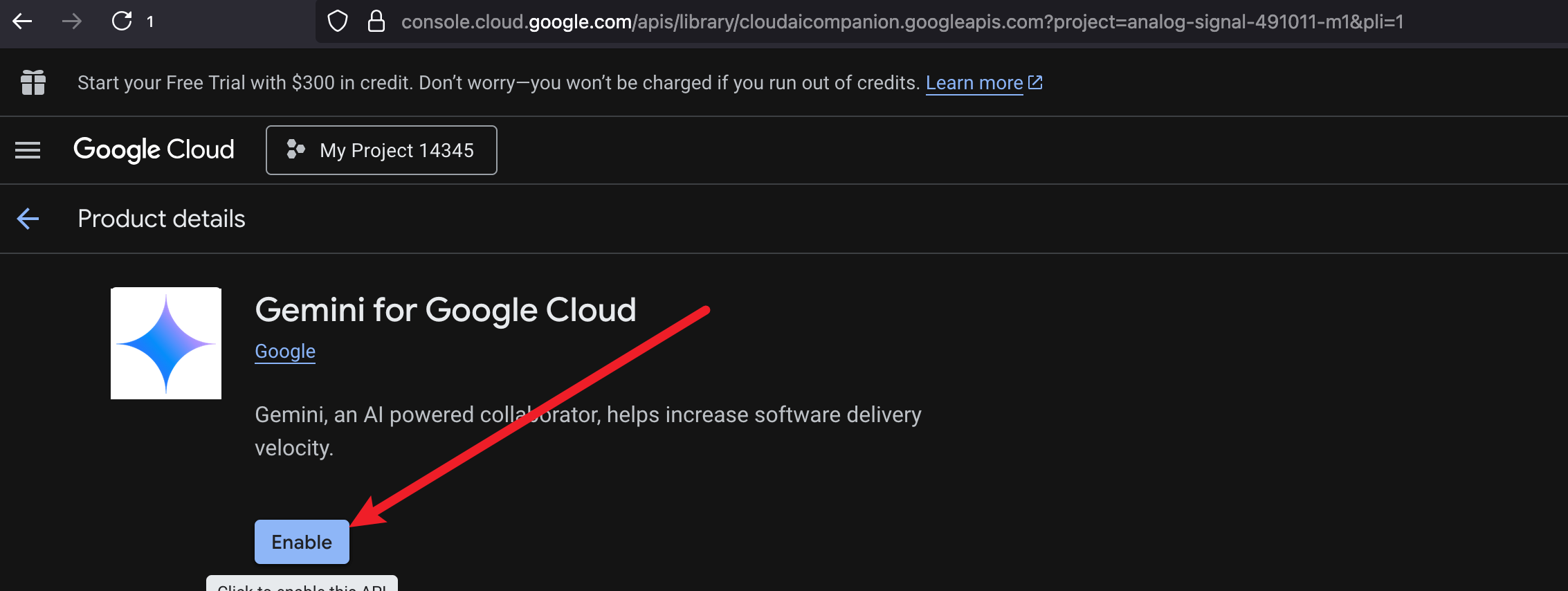
解决:复制提示的activationUrl
评论 (0)
请先登录后发表评论
暂无评论,快来抢沙发吧!